发布时间: 2020年04月11日 17:50

发布地址:https://mp.weixin.qq.com/s/JJ-sriRzcnsQW826JMlUkw
应小伙伴的需求编写此篇内容,顺带给自己做个笔记,方便以后查阅
很多时候VPN的需求比SS的需求更加可靠和稳定且在不同的环境下也可以进行灵活运用
目前类似的文章存在很多坑点及复杂性,很多博客和技术点被屏蔽或删除,在此仅做备份使用
Google Cloud + AWS + Microsoft Azure + Vultr + 等...【根据个人实际情况进行选择】
apt-get update
apt-get upgrade -y
apt-get install build-essential -y
apt-get install checkinstall -y
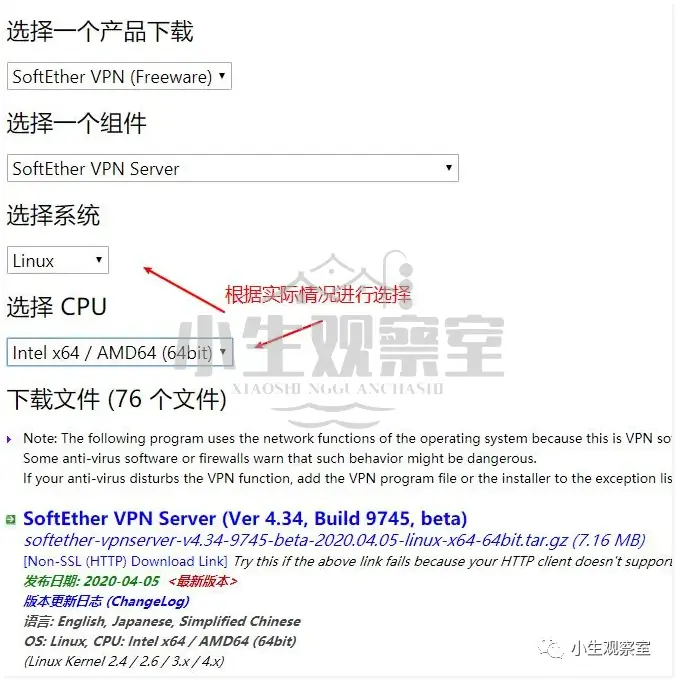
官网下载地址:https://www.softether-download.com/cn.aspx?product=softether
wget https://github.com/SoftEtherVPN/SoftEtherVPN_Stable/releases/download/v4.34-9745-beta/softether-vpnserver-v4.34-9745-beta-2020.04.05-linux-x64-64bit.tar.gz

tar -xzf softether-vpnserver-v4.34-9745-beta-2020.04.05-linux-x64-64bit.tar.gz

cd vpnserver

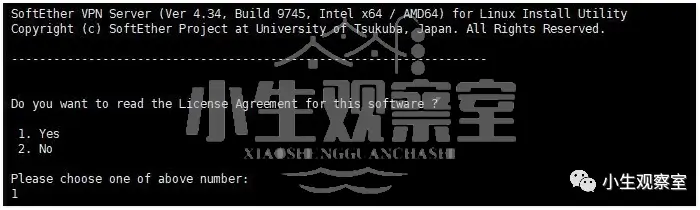
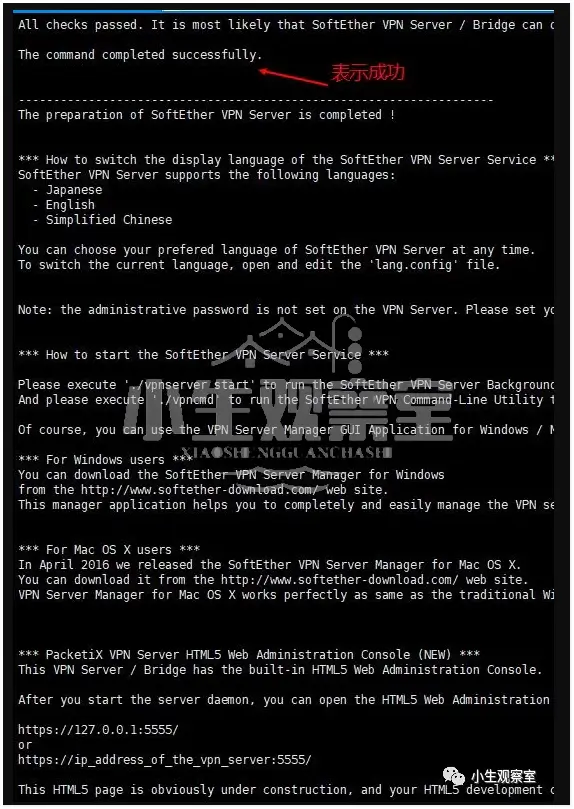
make
cd ..
mv vpnserver/ /usr/local
chmod 600 * /usr/local/vpnserver/
chmod 700 /usr/local/vpnserver/vpncmd && chmod 700 /usr/local/vpnserver/vpnserver
echo '#!/bin/sh
# description: SoftEther VPN Server
### BEGIN INIT INFO
# Provides: vpnserver
# Required-Start: $local_fs $network
# Required-Stop: $local_fs
# Default-Start: 2 3 4 5
# Default-Stop: 0 1 6
# Short-Description: softether vpnserver
# Description: softether vpnserver daemon
### END INIT INFO
DAEMON=/usr/local/vpnserver/vpnserver
LOCK=/var/lock/subsys/vpnserver
test -x $DAEMON || exit 0
case "$1" in
start)
$DAEMON start
touch $LOCK
;;
stop)
$DAEMON stop
rm $LOCK
;;
restart)
$DAEMON stop
sleep 3
$DAEMON start
;;
*)
echo "Usage: $0 {start|stop|restart}"
exit 1
esac
exit 0' > /etc/init.d/vpnserver
可查看下是否已经写入到/etc/init.d/vpnserver
cat /etc/init.d/vpnserver
chmod 755 /etc/init.d/vpnserver
update-rc.d vpnserver defaults
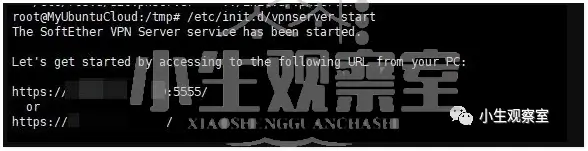
/etc/init.d/vpnserver start
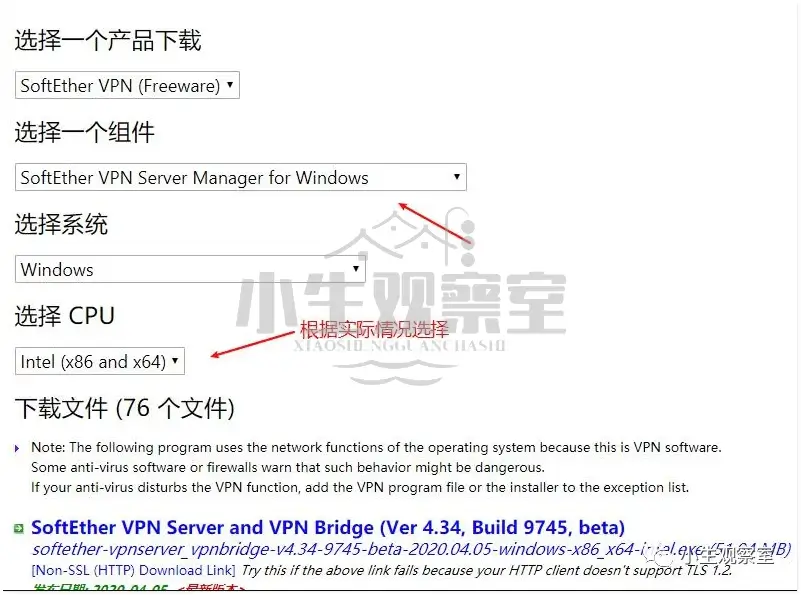
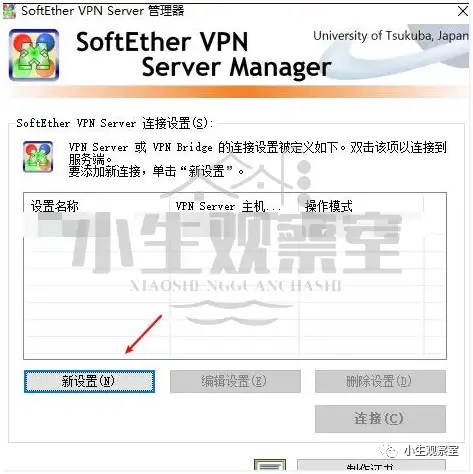
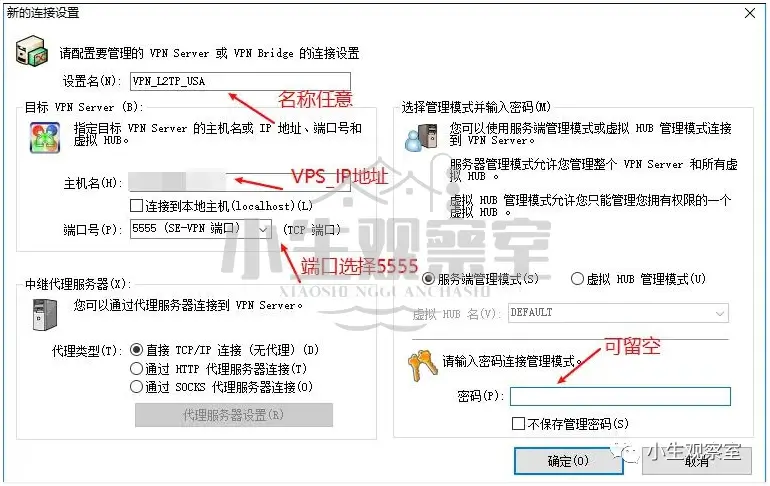
官网下载地址:https://www.softether-download.com/cn.aspx?product=softether
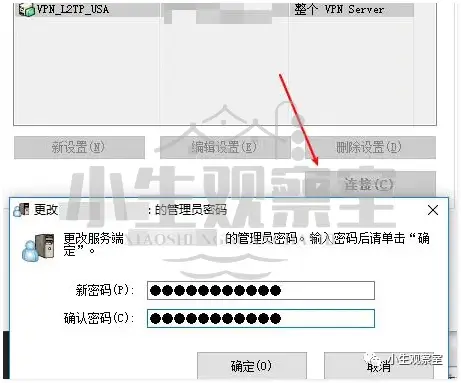
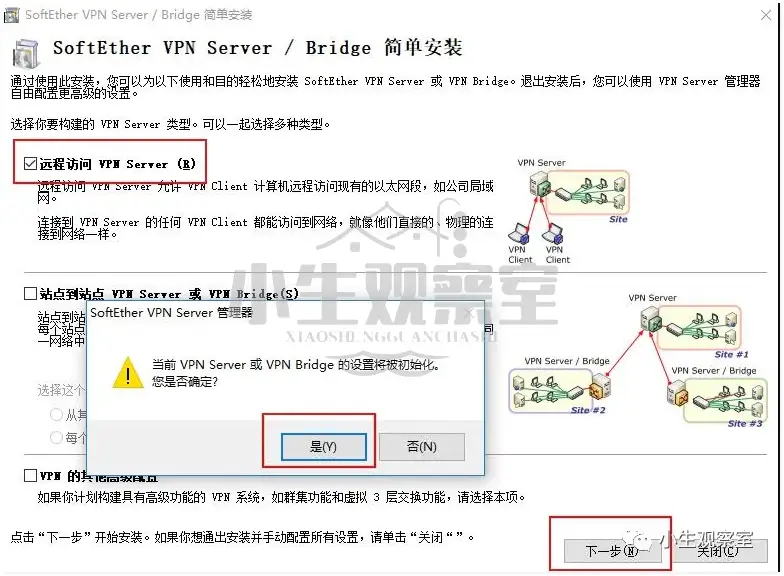
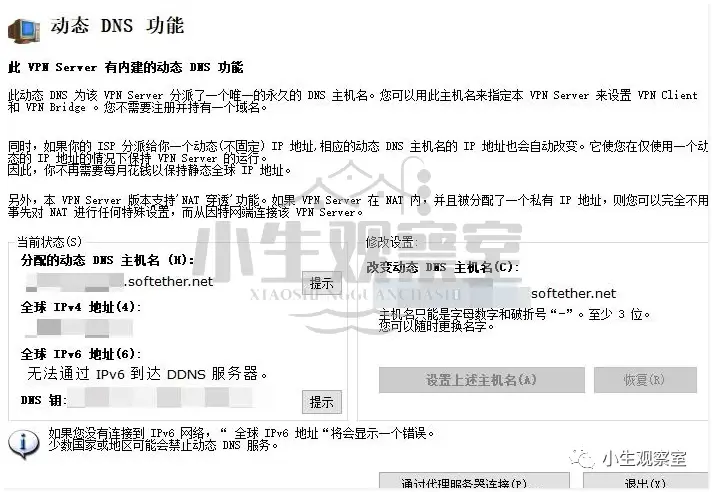
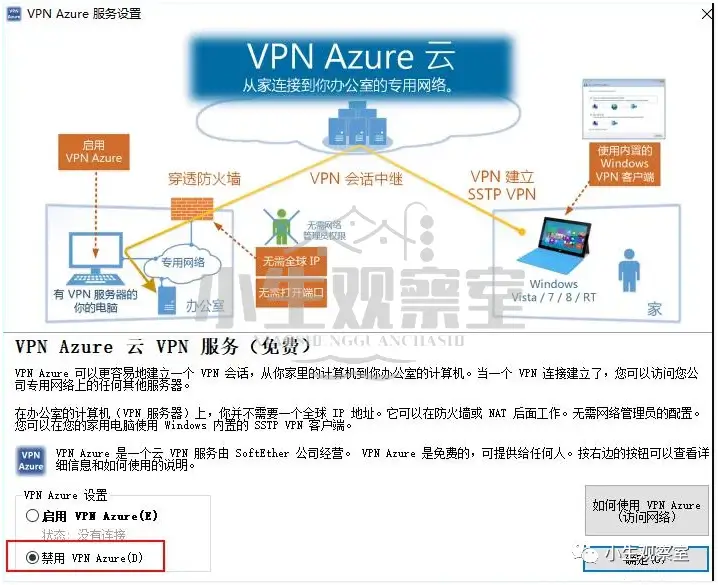
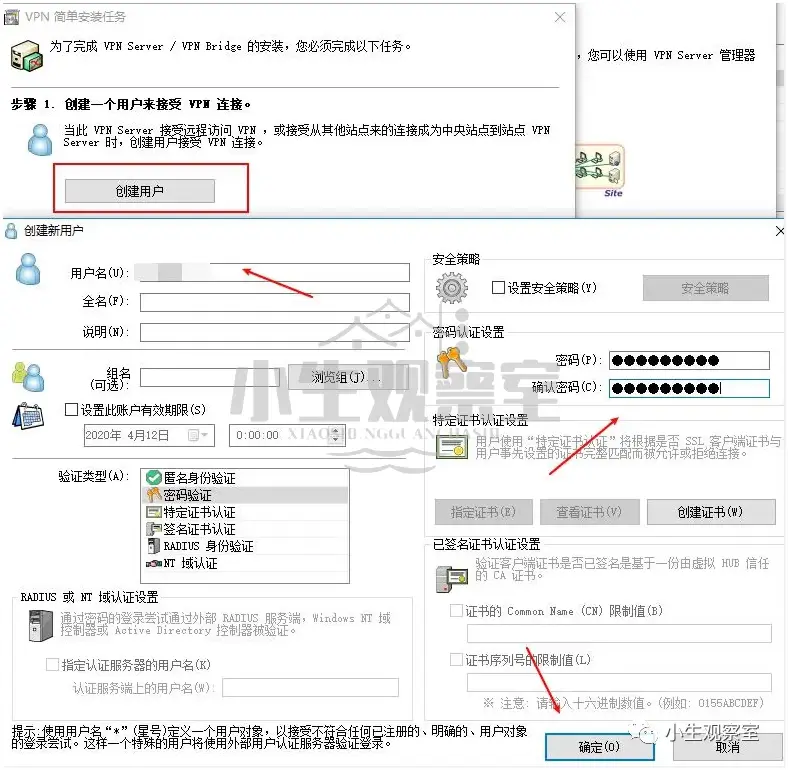
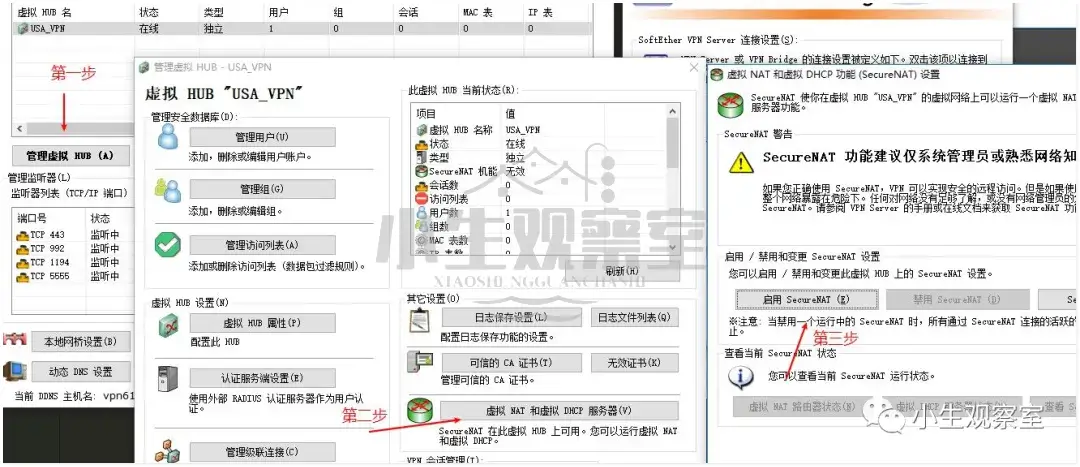
在弹出的窗口中选择远程访问 VPN Server 是
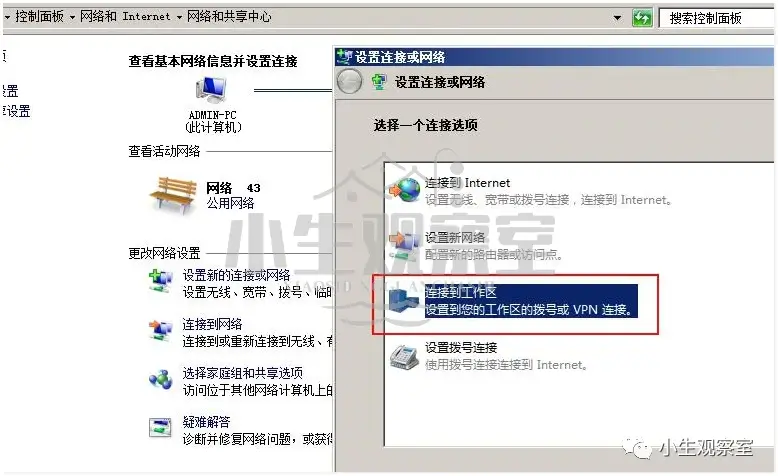
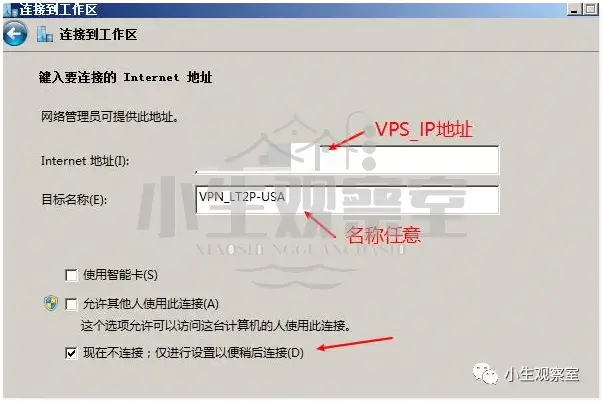
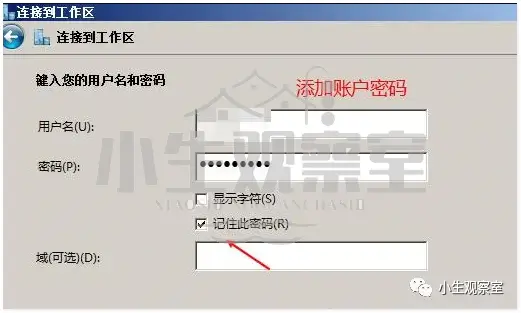
可利用Windows自带方式或利用SoftEtherClient均可
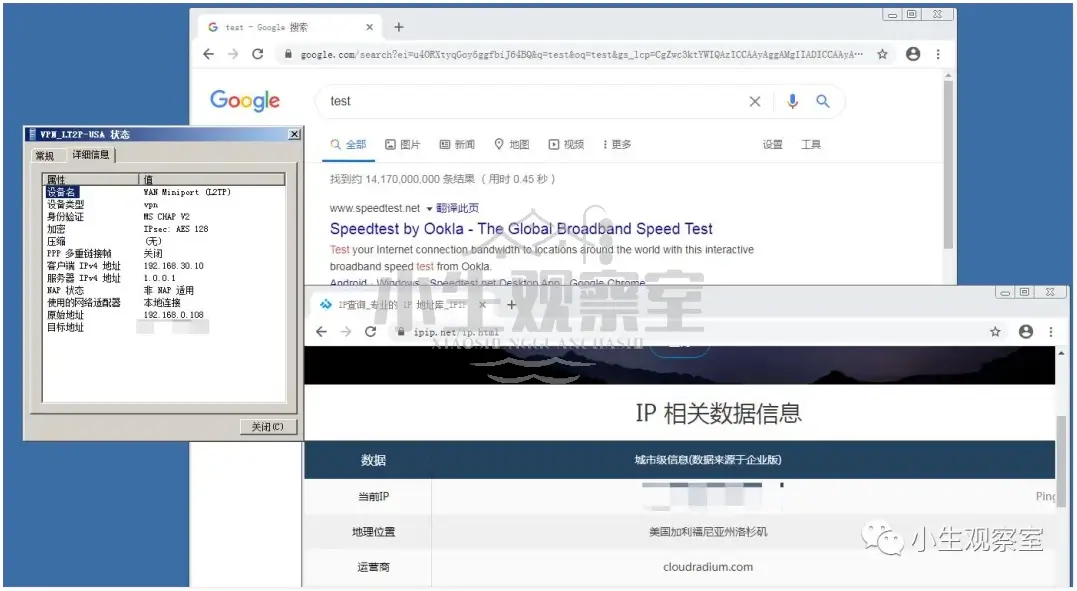
本次使用Windows自带功能进行测试
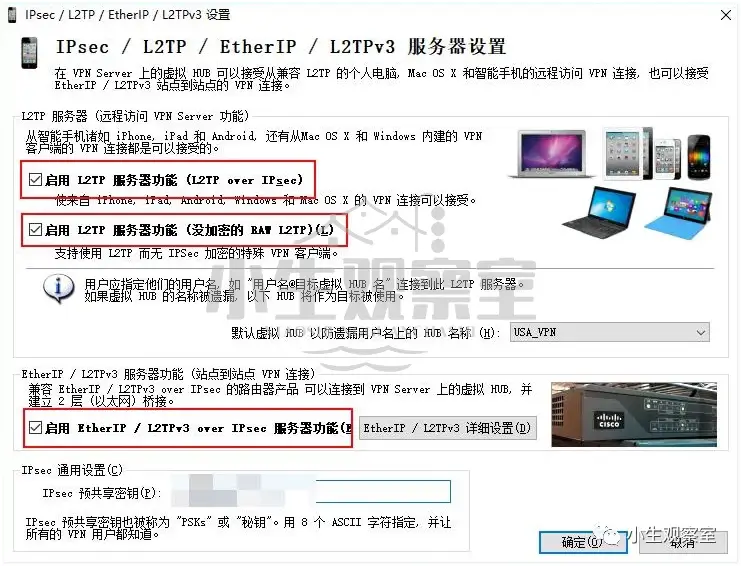
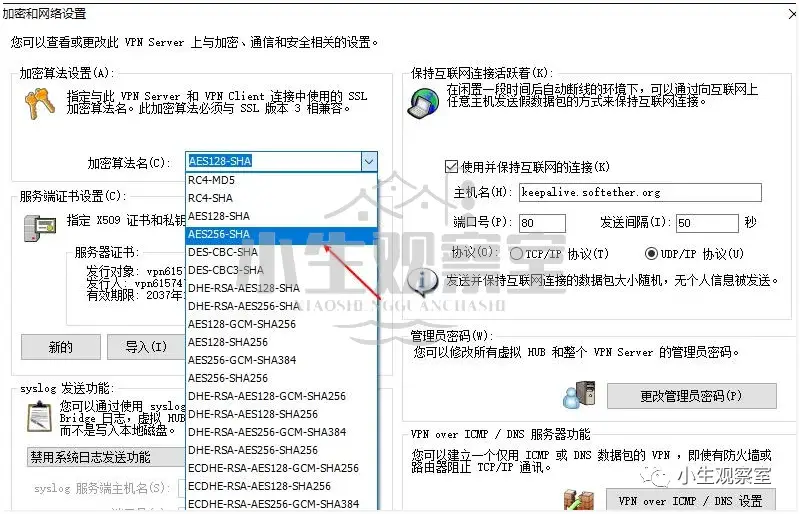
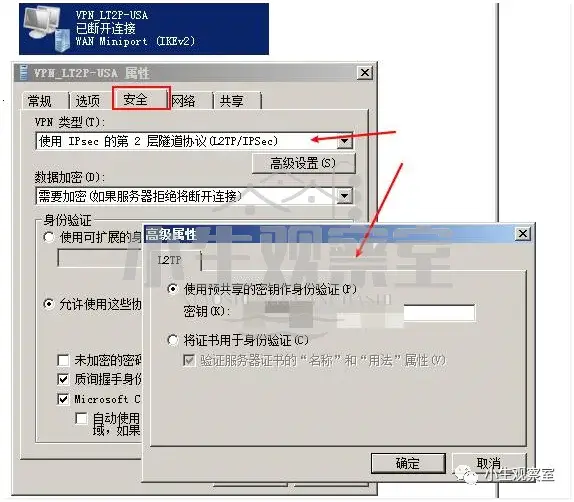
关闭后返回新建的网络连接中设置属性并且修改VPN类型及添加共享密钥